
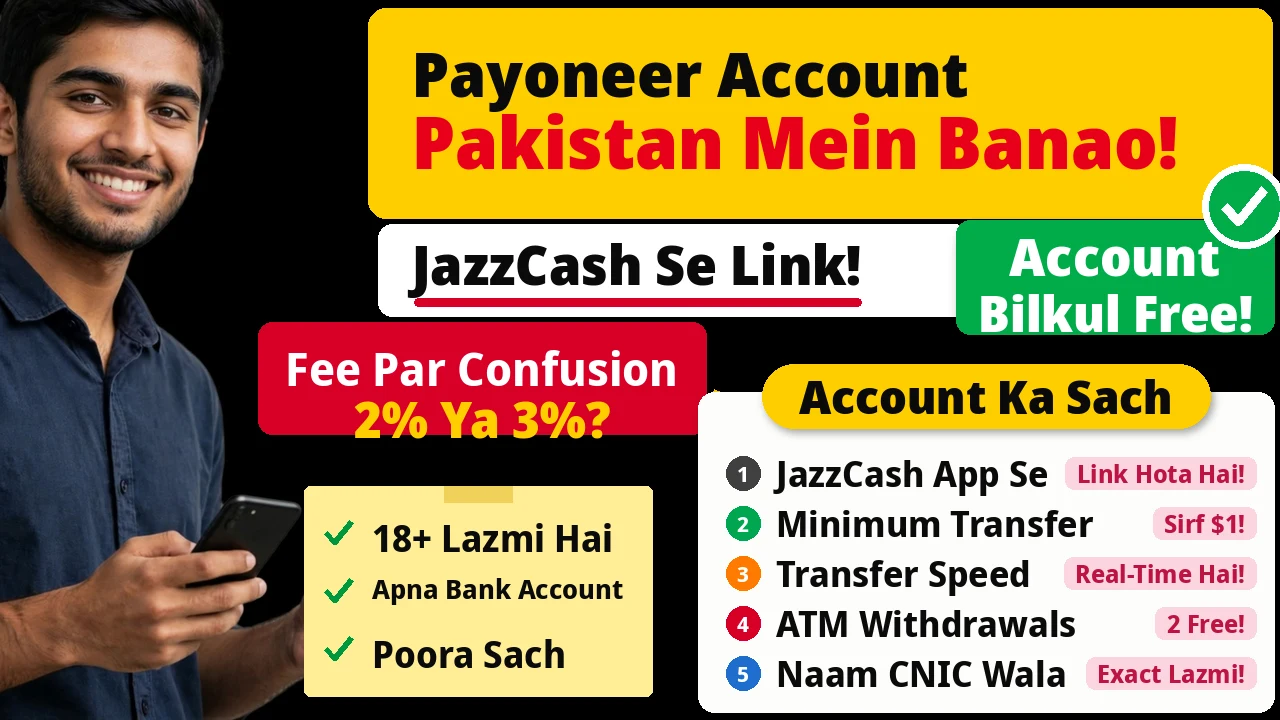
Setting up a Payoneer account in Pakistan is the step every Pakistani freelancer eventually reaches — and the step most guides rush through in three lines, as if nothing ever goes wrong in between. In practice, verification is where people get stuck — a name spelled differently from the CNIC, a blurry photo, an address that does not match — and fee questions start only after the money arrives. This guide slows down where it matters: what you need, each step, the problems that stall verification, and the two ways to get your money out, with the fee disagreements stated plainly.
Short version first: Payoneer is free to open, you must be 18 or older, and the account has to be in your own name, verified with your own CNIC or passport and withdrawn to your own-name bank account or your own JazzCash account. Sign up only on payoneer.com — or from inside the official JazzCash app — and never through an “agent” who charges you for it. Guides typically report review takes 1–3 business days — a guide figure, not a Payoneer promise, so do not plan a payment around it. And read the fee conflicts section before you withdraw: Payoneer’s own pages disagree on the withdrawal percentage.
Payoneer Account in Pakistan: What You Need Before You Start
Getting the documents ready first is the difference between a smooth application and a week of back-and-forth. Gather it all before you open the signup form.
You must be 18 or older — a hard requirement, with no workaround through a parent’s or sibling’s documents. You need your legal name exactly as it appears on your CNIC or passport, an active email address you actually check, and an active Pakistani mobile number, because Payoneer sends verification codes to both. You need the CNIC or passport itself, clear photos of front and back, and an address matching your documents. And you need a Pakistani bank account in your own name, with its full IBAN — the 24-character number starting with PK that your bank app or cheque book shows. One rule covers all of it: the account is personal. Using someone else’s bank account or documents is not a shortcut; it is the fastest way to have the account blocked.
Step by Step: Creating Your Payoneer Account
Step 1: Go to payoneer.com — and nowhere else
Type payoneer.com into your browser yourself. Do not click a link from a WhatsApp message, a Facebook ad or a YouTube description promising a “verified account”, and do not pay anyone who offers to create or verify an account for you. Nobody legitimate charges for this — account creation is free, and anyone asking for a fee is either selling you something you can do yourself or setting you up for a scam. If the address bar does not say payoneer.com, close the tab.
There is one legitimate alternative, and it comes from Payoneer itself: its JazzCash partnership page says you can sign up directly from inside the JazzCash app, by selecting Payoneer there, filling in your information and security details, and reviewing the system-generated account details. After confirmation, your JazzCash account is linked to your Payoneer account. Either way, it is Payoneer itself — never a middleman.
Step 2: Choose the individual / freelancer path
Payoneer’s signup asks what kind of account you want. As a freelancer or individual earner in Pakistan, choose the individual path — guides describe it as “Individual” or “Freelancer” — the right fit for someone paid by marketplaces or clients rather than running a registered company. You will be asked how you expect to get paid: from marketplaces, clients, or both. Answer honestly.
Step 3: Enter your details exactly as they appear on your CNIC
This is the step that causes the most rejections, and it is entirely avoidable. Enter your first and last name exactly as spelled on your CNIC or passport — not a nickname or a social-media spelling. Enter your date of birth as it appears on the document, select Pakistan as your country, and enter your home address, city and postal code to match your CNIC address as closely as possible. Guides repeat this warning for good reason: Payoneer’s reviewers compare what you typed against what your documents say, and a mismatch sends you back to the start of the queue.
Then the contact and security setup: your active email, your Pakistani mobile number with the +92 code, a strong password, and a security question whose answer you will remember. Payoneer verifies both email and phone with codes, so use an email you can open right now and a phone in your hand — not an old inbox you never check or someone else’s number. Write the security answer down somewhere safe; support will ask for it if you ever lose access.
Step 4: Add your own-name Pakistani bank account
When Payoneer asks for bank details, select Pakistan and PKR, then enter your bank name and full IBAN, starting with PK. Double-check it digit by digit — a wrong IBAN may not be caught until a withdrawal bounces or stalls. The account must be in your own name; if yours is joint or belongs to a family member, open your own first. Unsure of your IBAN? Your bank’s app shows it and your cheque book prints it — do not guess it from memory.
Step 5: Complete verification in the Verification Center
After signup, verify your identity through the Verification Center. Upload clear photos of your CNIC or passport — front and back, well lit, all text legible, nothing cut off. Blurry or cropped photos are, by every guide’s account, the most common reason verification drags on. If Payoneer asks for an address document, a bank statement or utility bill in your name at the address you entered will usually do — and again, the name and address must match what you typed.
Then you wait. Guides typically report review takes 1–3 business days, and many applicants do hear back in that window — but that is a typical experience, not a Payoneer guarantee, and a mismatch or unclear photo will stretch it. Check your email daily, including spam: an unread request for a clearer document adds a week to your wait. If verification stalls beyond that, the troubleshooting section below covers what to do.
Step 6: Turn on two-factor authentication
The moment your account is approved, turn on two-factor authentication (2FA) in your security settings, if it is not already on. It costs ten seconds a login and blocks the most common takeover story: a password leaked elsewhere, reused here, and an empty balance before you notice. Never share a login code with anyone — real support never asks for one.
Linking Payoneer to Fiverr, Upwork and Marketplaces
A verified account by itself earns nothing; it must be connected to wherever your money is. On Fiverr, connect Payoneer in your earnings settings — our Fiverr withdrawal guide for Pakistan walks through Fiverr’s side screen by screen, including the no-PayPal route (PayPal is not officially available here). On Upwork, add Payoneer under payment settings. The pattern is the same everywhere: select Payoneer, sign in to authorise the link, and future payouts land in your Payoneer balance.
Two cautions. First, the names should match — a marketplace account under one name paying into a Payoneer account under another triggers reviews on both sides. Second, linking is not withdrawing: money landing in Payoneer still has to be withdrawn to your bank or JazzCash, with the fees covered below. Link early, before your first payout is due, so a hiccup on either side does not hold up money you have already earned.
Your First Withdrawal: Bank Transfer vs JazzCash
Once a balance is sitting in Payoneer, you have two exits, and they suit different amounts. The bank route sends your balance to your own-name Pakistani bank account. The JazzCash route, described on Payoneer’s own partnership page, works from inside the JazzCash app: log in to Payoneer from the app to link the accounts, then transfer funds directly into your JazzCash account. Payoneer describes these transfers as real-time, and the same page notes 2 free ATM withdrawals.
Here is the comparison:
| Route | Minimum withdrawal | Speed as described | Best for |
|---|---|---|---|
| Bank transfer to Pakistani bank | $50 per one secondary guide only — unverified; confirm in-account | Slower than JazzCash; allow a few business days | Larger balances, and money you want sitting in your bank |
| JazzCash withdrawal (in-app) | $1, per Payoneer’s own JazzCash partnership page | Real-time, per Payoneer’s own JazzCash partnership page | Small balances, fast access, and cash via ATM (2 free ATM withdrawals mentioned on Payoneer’s page) |
Whichever route you choose, read the fee and exchange rate shown on your screen before you confirm. That on-screen quote is the only number that applies to your withdrawal; every percentage here is planning arithmetic. If it looks worse than expected, stop — wait, switch routes, or change the amount. Once you confirm, the fee is spent.
The Fee Conflicts Nobody Resolves For You
This is the section other setup guides skip. Payoneer’s own pages disagree on the numbers that decide what you keep, and pretending otherwise would leave you planning on a figure that may not be yours. Our full breakdown is in the Payoneer fees Pakistan guide — here are the three conflicts, stated, not smoothed over.
First, the withdrawal conversion percentage: Payoneer’s January 2026 fee table says withdrawing to a bank account costs up to 3%, while Payoneer’s own Pakistan guide page shows a 2% bank withdrawal figure, and Mindrift’s help page also says up to 2% onward to a bank. Meanwhile, 2026 Pakistani users report the full 3% being charged. The safe planning figure is 3% — budget for the ceiling, and treat a lower dashboard quote as a pleasant surprise. Second, the annual fee threshold: Payoneer’s costs blog says a $29.95 annual fee applies if you receive under $2,000 in 12 months, while 2026 guides report the threshold as $6,000. Until Payoneer clarifies, do not plan your year around either number — just know the $29.95 charge exists for low-volume accounts. Third, the bank-withdrawal minimum: one secondary guide reports $50, and no Payoneer page we checked confirms it, so this guide flags it as single-source and unverified. Against that, the $1 JazzCash minimum comes from Payoneer’s own page.
The practical lesson: plan with the ceiling (3%), check the quote on screen, and never quote a fellow freelancer a single “Payoneer fee” as if it were settled. The fee depends on the route, the amount and the day’s rate, not on a number in a blog post.
When Verification Stalls: Troubleshooting That Actually Works
Most verification problems fall into five buckets, and four are fixable by you. Name mismatch: the name you typed does not match your CNIC or passport, character for character — correct the details to match the document, never by uploading someone else’s document. Blurry or expired document: re-upload clear, well-lit photos of both sides, and check the expiry date first. Address mismatch: re-enter the address to match your document, or upload a current bank statement or utility bill in your name at a new address. Wrong IBAN: re-enter it digit by digit from your bank app or cheque book. Someone else’s bank account or documents: stop — the account must be personal, and continuing risks a permanent block.
If the obvious fix does not work, do two things in order. First, re-upload the clearest documents you can produce and answer any Payoneer request the same day — an unanswered request is the most common reason a “stuck” application stays stuck. Second, contact support from inside your account and describe what you uploaded and when. Support cannot give you a guaranteed timeline — anyone promising approval by a date, especially for a fee, is not speaking for Payoneer. And do not start a second account in frustration while the first is under review; that creates a duplicate-account problem on top of the original one.
Scam Warnings: The Payoneer Traps Aimed at Pakistanis
Payoneer’s popularity has attracted a small industry of traps, all sharing one feature: they charge you for something Payoneer gives free, or ask for something Payoneer would never ask for. Nobody legitimate charges to create or verify an account — not an “agent” on Facebook, not a Fiverr gig, not a WhatsApp contact who “knows someone inside”. A “verified account for sale” is against the rules: the account is personal to whoever’s documents verified it, and buying one means it can be closed the moment Payoneer notices the mismatch, with any balance inside it at risk.
The other traps are quieter. Never share your password or a one-time code with anyone, including someone claiming to be support — real support never asks for these. Never log in through a link sent in a message; type payoneer.com yourself or use the official app. Never hand your CNIC photos to a stranger offering to “verify” your account — those photos are enough to open accounts in your name elsewhere. And treat any message promising faster verification, a higher limit or a “special rate” for a fee as what it is: a fee for nothing, or the first step to losing the account.
Frequently Asked Questions
Can I open a Payoneer account in Pakistan without a bank account?
Guides disagree, so distrust any flat yes or no. Signup asks for bank details, and the safest route is having your own-name bank account with its PK IBAN ready. JazzCash is a withdrawal route linked from inside the JazzCash app — Payoneer’s own page describes creating or linking an account there — but do not treat it as a guaranteed substitute for a bank account at signup. No bank account yet? Open one first; it removes the biggest variable from your application.
How long does Payoneer verification take in Pakistan?
Guides typically report 1–3 business days, and many applicants do hear back in that window — but that is a typical experience, not a timeline Payoneer guarantees. A mismatch, blurry photo or extra document request extends it. Check email daily, including spam, and never pay anyone promising approval by a date.
Is Payoneer free to open in Pakistan?
Yes, creating the account costs nothing, and anyone charging a creation or verification fee is running a scam. But “free to open” is not “free to use” — receiving, withdrawing and converting all carry fees, and Payoneer’s own pages disagree on some of them. Read the fee conflicts section before your first withdrawal, not after.
What is the minimum withdrawal from Payoneer in Pakistan?
It depends on the route. To JazzCash, Payoneer’s own page puts the minimum at just $1, with real-time transfers. To a bank account, one secondary guide reports $50, but that is unverified against Payoneer’s own pages — confirm it inside your account before relying on it. That gap alone is a reason to link JazzCash even if your main route is your bank: small balances a bank minimum would trap can move through JazzCash.
Why was my Payoneer verification rejected?
Usually a name that does not match your CNIC exactly, a blurry or cropped photo, an expired document, an address that does not match your proof, or a wrong IBAN. Re-upload clear photos, correct the details to match your documents character for character, and answer Payoneer requests promptly. If it persists, contact support from inside your account — never start a second account while the first is under review.
Can I link Payoneer to Fiverr if PayPal is not available in Pakistan?
Yes — that is exactly what Payoneer is for here. PayPal is not officially available in Pakistan, while Payoneer is fully supported and Fiverr offers it as a withdrawal method. Our Fiverr withdrawal guide covers Fiverr’s payout screen step by step; the pattern is the same on Upwork: select Payoneer in payment settings and authorise the link.





Leave a Reply